ip
User Guide
🧞♂️
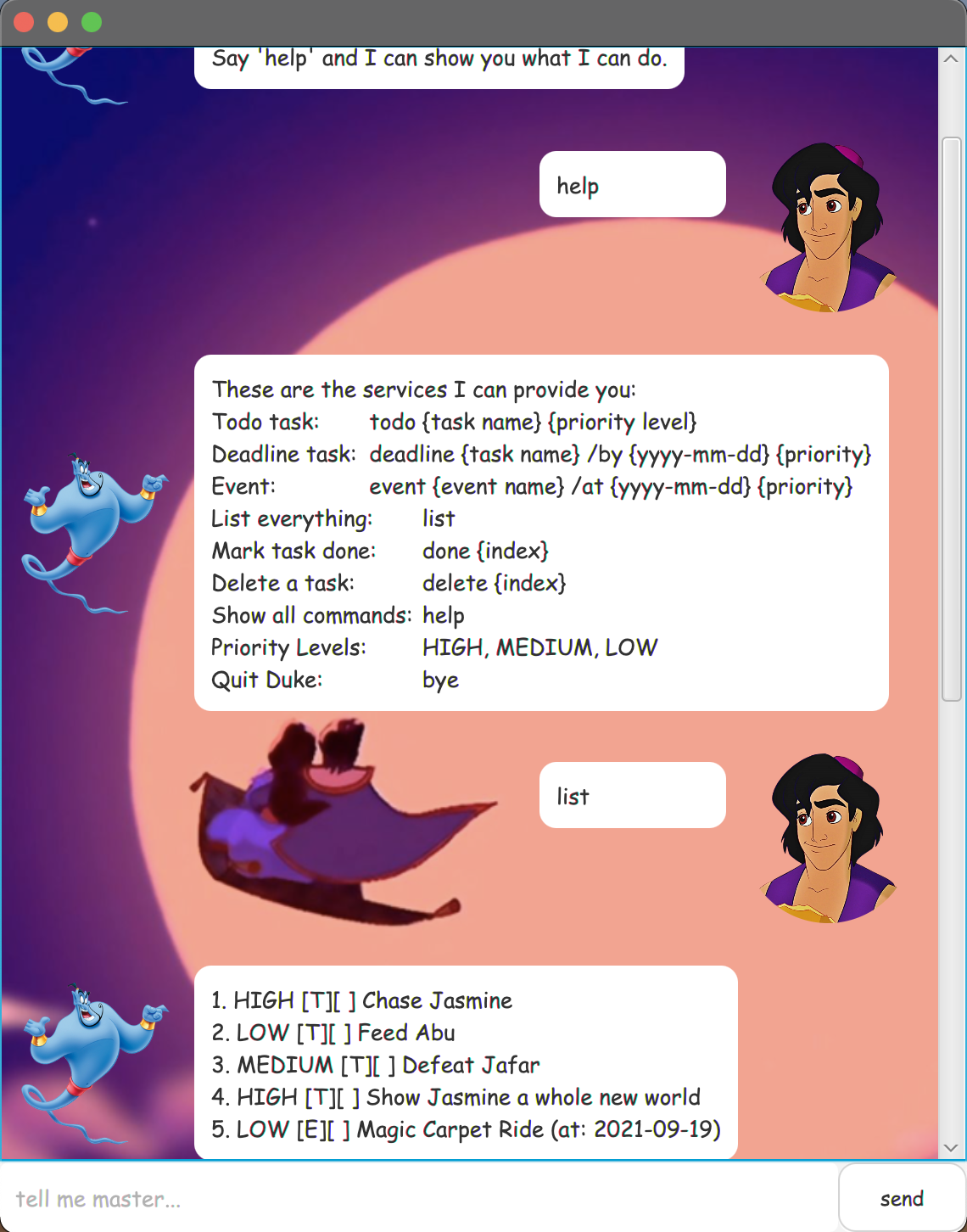
Genie is a desktop app for managing your genie.tasks, optimised used via a Command Line Interface (CLI) while still having the benefits of a Graphical User Interface (GUI).
Notes about the command format
- Words in
UPPER_CASEare the parameters to be supplied by the user. e.g.todo TASK,TASKis a parameter which can be used astodo eat dinner.
Features
The Genie is powerful enough to help you do the following:
- Add a new tasks to you task list
- View all the tasks you have
- Mark a task as completed
- Delete a task
- Find task(s) based on keywords
- Save and load your tasks automatically from your hard drive
- Add priority to tasks
- View task list by priority level
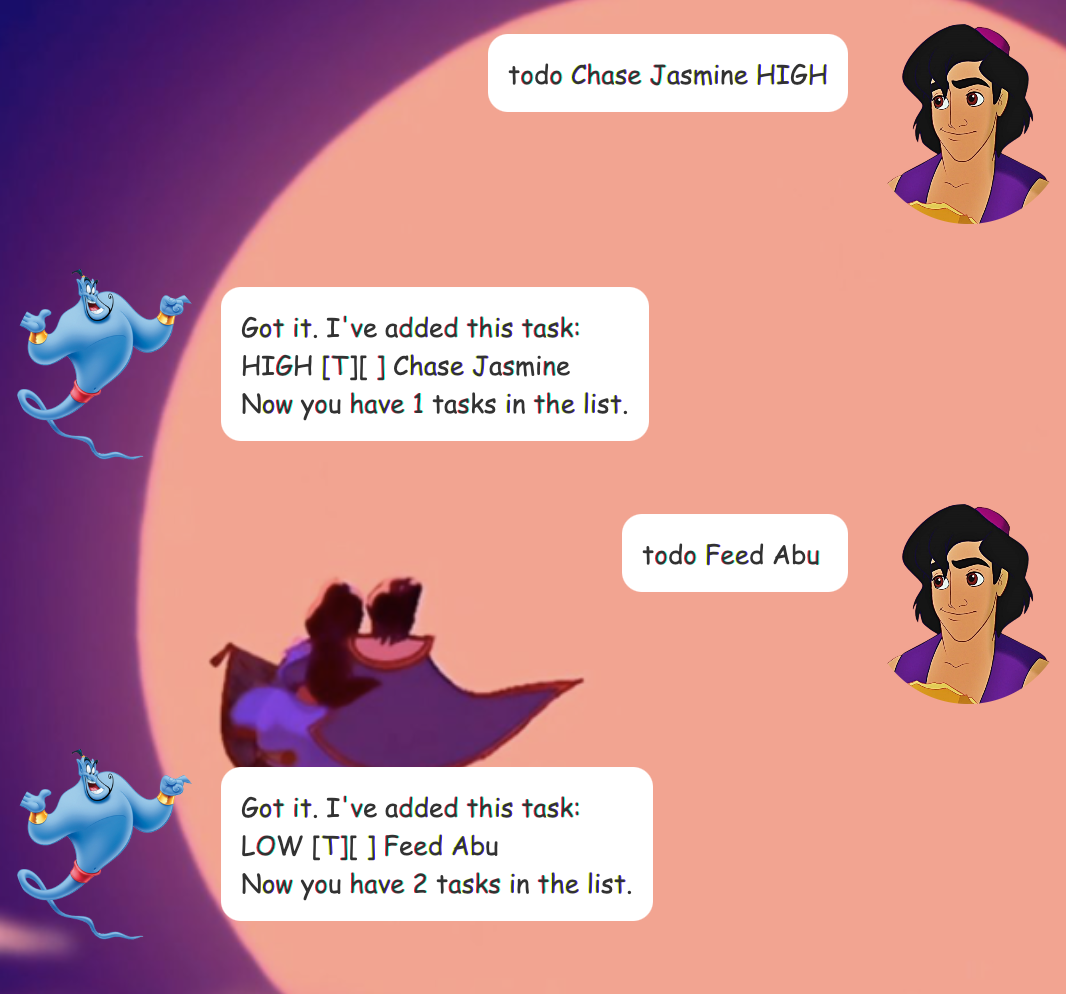
Adding a todo: todo
Adds a todo task to the list
Format: todo TASK PRIORITY LEVEL
- Assign priority level to task.
- Available priority levels are HIGH, MEDIUM & LOW.
- Tasks with no specified priority level will by default be of LOW priority
Examples
todo Chase Jasmine HIGHtodo Feed Abu
Adding a deadline: deadline
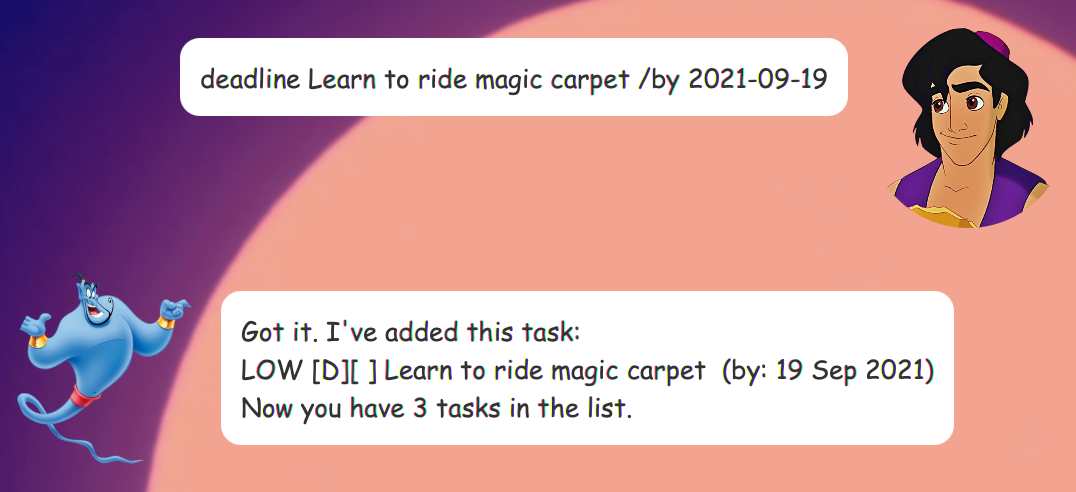
Adds a deadline to the task list.
Format: deadline TASK /by DATE
- Assign priority level to deadlines.
- Available priority levels are HIGH, MEDIUM & LOW.
- Deadlines with no specified priority level will by default be of LOW priority
Examples
deadline Learn to ride magic carpet /by 2021-09-19
Adding a event: event
Adds an event to the task list.
Format: event EVENT /at DATE TIME(OPTIONAL)
Examples
event Magic Carpet Ride w Jasmine /at 2021-09-21 HIGH

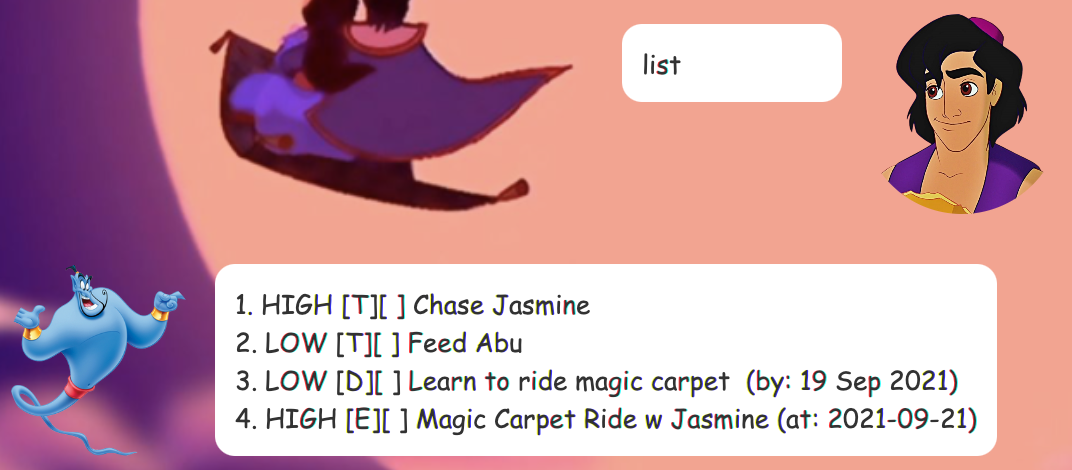
Listing all task: list
List all the genie.tasks that are both completed and not completed.
Format: list
Marking a task as done: done INDEX
Mark task as done.
Format: done INDEX
- Mask the task at the specified index as done.
- Index must be a positive integer greater than 0.
- The index refers to the number in the list.
Examples
listfollowed bydone 2to mark the first task on the list as done.
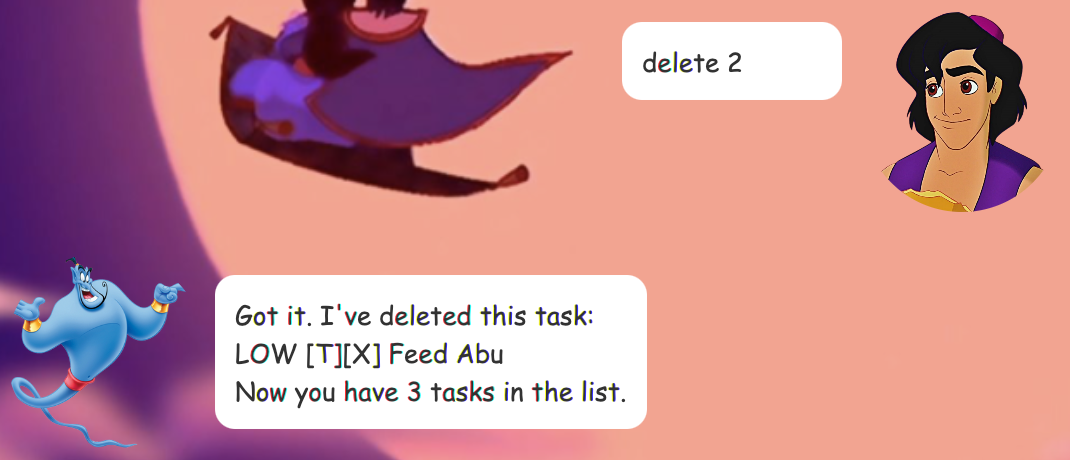
Deleting a task: delete INDEX
Deleting a specified task from the list.
Format: delete INDEX
- Deleting the task at the specified index.
- Index must be a positive integer greater than 0.
- The index refers to the number in the list.
Examples
listfollowed bydelete 2to delete the first task on the list.
Locating a task: find KEYWORD
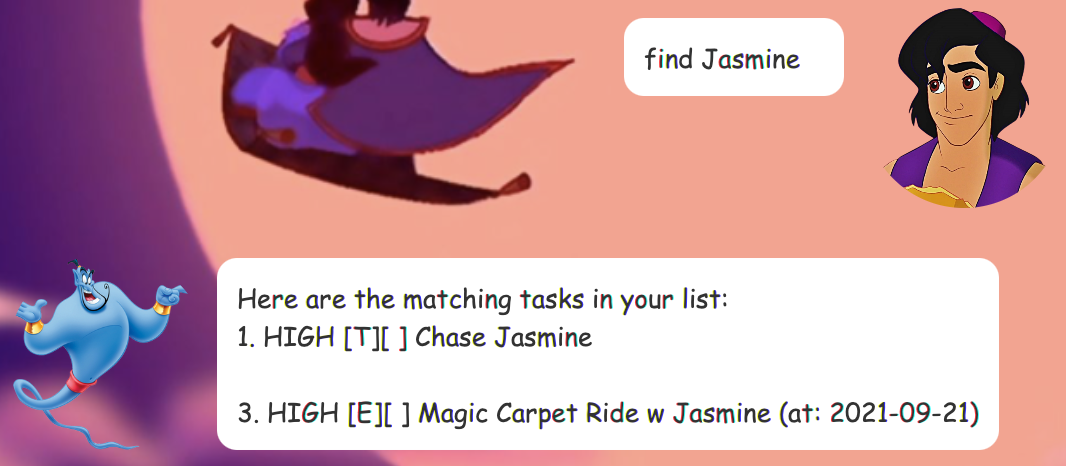
Find genie.tasks that contains the given index.
Format: find KEYWORD
Examples
find Jasmine
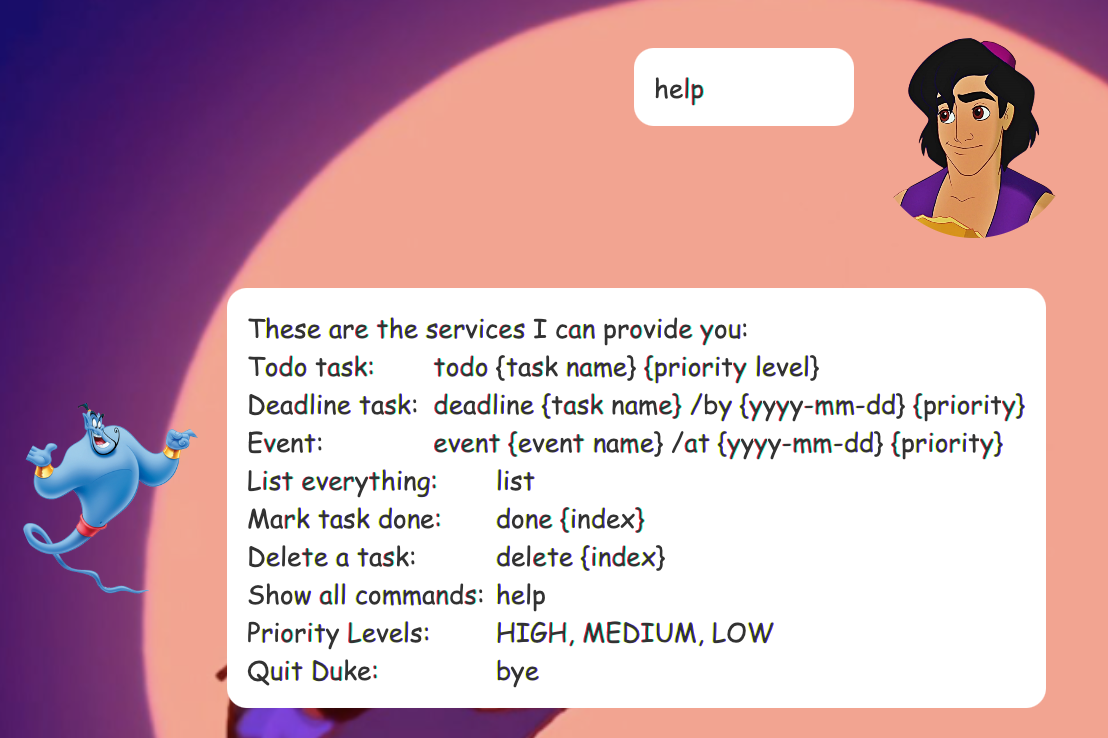
Show all commands: help
Show all the available commands and formats for the user input that the genie.Genie understands.
Format: help
Expected outcome:
Show tasks of certain priority: show PRIORITY LEVEL
Show all the tasks that are of the indicated priority level.
Format: show PRIORITY LEVEL
- Priority levels are HIGH, MEDIUM & LOW
Examples
show HIGH
Exiting the program: bye
Exits the program.
Format: bye

Saving the data
All the genie.tasks added to the list are automatically saved to the hard drive,
no manual editing is needed. The next time the app is opened, your genie.tasks
will still appear when you enter the list command.